
Essential Features for Modern Office Printing
Discover critical printer capabilities that transform workplace productivity and efficiency.
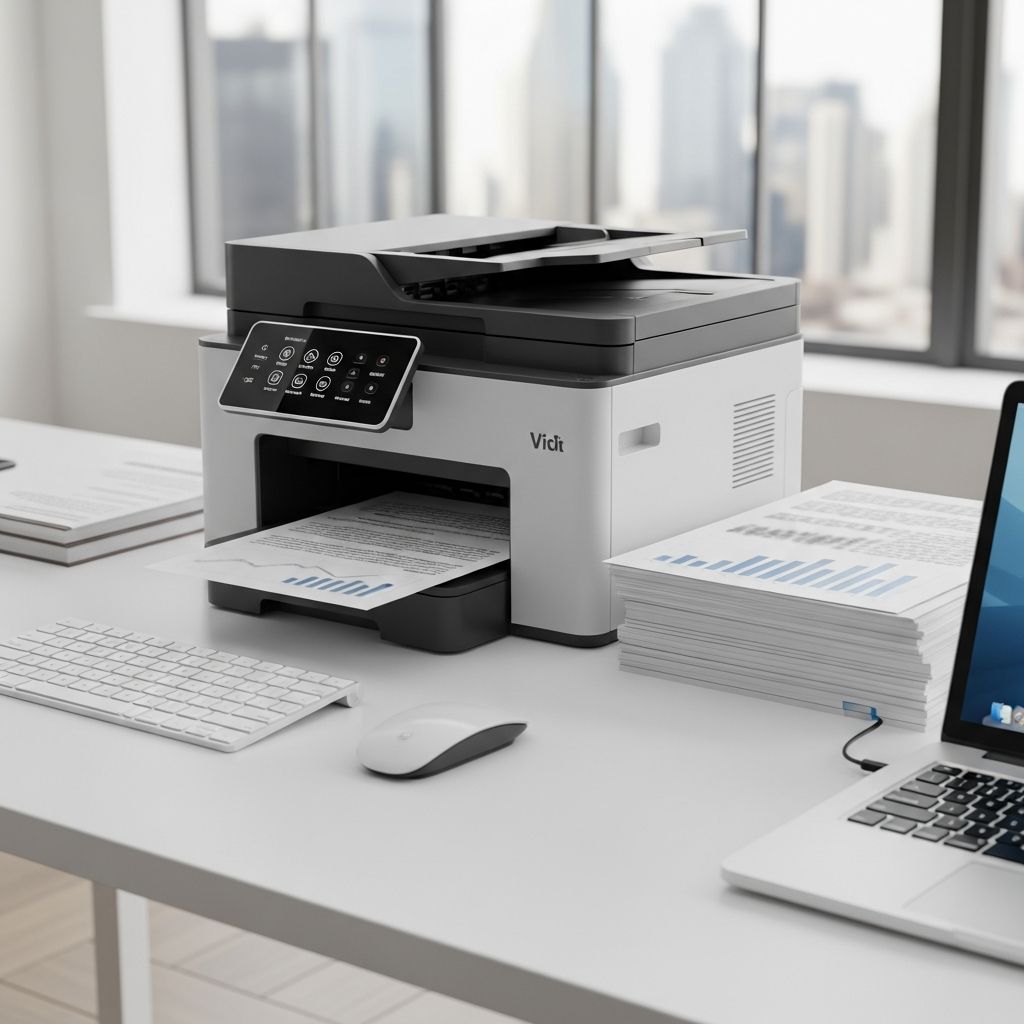
Navigating the Modern Office Printer Landscape
Selecting an appropriate printer for a professional environment extends far beyond simply choosing a device that produces paper documents. Today’s workplace demands multifaceted solutions that integrate seamlessly with existing infrastructure, accommodate diverse printing requirements, and operate within budgetary constraints. Whether managing a small startup, a mid-sized professional office, or an enterprise operation, understanding the critical capabilities and specifications that distinguish quality printers from mediocre alternatives is essential for informed decision-making.
The printer market has evolved considerably, with manufacturers now offering specialized solutions designed to address specific workflow challenges. Rather than viewing printing as a peripheral office function, forward-thinking organizations recognize that a well-selected printer can streamline operations, reduce expenditures, and enhance overall workplace efficiency. This comprehensive examination explores the fundamental characteristics that discerning buyers should prioritize when evaluating printing solutions.
Understanding Print Speed and Processing Capacity
One of the most visible metrics when comparing printers is output speed, typically measured in pages per minute (ppm). However, understanding this specification requires recognizing that advertised speeds represent theoretical maximums under optimal conditions. Practical printing scenarios often involve different paper types, print qualities, and color requirements that may reduce actual throughput.
For organizations with substantial document volumes, laser technology consistently outperforms inkjet alternatives in speed delivery. Monochrome laser printers can reliably produce 32 to 40 pages per minute for black-and-white documents, while color laser models typically operate slightly slower, ranging from 25 to 35 pages per minute depending on the specific model and configuration. These speeds assume the printer has adequate warm-up time and maintains consistent paper feeding.
Beyond raw speed, another critical consideration involves the printer’s duty cycle or monthly page yield rating. This specification indicates the maximum volume of pages a device can safely process within a given month without accelerating component wear. Home office printers typically accommodate 10,000 to 15,000 monthly pages, while small office models may support 50,000 to 100,000 pages monthly, and enterprise solutions often exceed 500,000 pages per month.
Evaluating Connectivity and Network Integration
Modern workplace environments demand flexible connectivity options that accommodate various device types and network configurations. The most versatile office printers now incorporate multiple connection protocols, enabling users to send print jobs from smartphones, tablets, laptops, and desktop computers without requiring specialized software installations or complex setup procedures.
Wireless networking capability has become standard rather than premium in quality office printers. The ability to connect via Wi-Fi or Bluetooth eliminates physical cable constraints and accommodates temporary users, remote team members, and bring-your-own-device policies. Additionally, cloud-based printing functionality allows employees to initiate print jobs from external locations or web-based applications, fundamentally changing how distributed teams interact with office equipment.
Equally important is the printer’s capacity to integrate with existing document management systems and workflow software. Many organizations utilize specialized applications for processing invoices, managing contracts, or organizing correspondence. Printers that seamlessly interface with these systems through application programming interfaces or native driver support significantly enhance productivity by eliminating manual data entry and reducing processing delays.
Multifunction Capabilities and Workflow Efficiency
The distinction between single-function printers and multifunction devices has become increasingly significant for organizations seeking to optimize space and reduce equipment expenditures. Multifunction printers integrate printing, scanning, copying, and faxing capabilities into unified devices, fundamentally altering how offices approach document management and workflow automation.
Advanced scanning functionality deserves particular emphasis. Devices equipped with automatic document feeders can process multiple-page documents without operator intervention, while duplex scanning capabilities simultaneously capture both sides of double-sided originals. These features particularly benefit organizations that regularly digitize paper records, manage client documentation, or maintain compliance with document retention requirements.
The flatbed scanning component, though less visible than automatic feeders, addresses critical workflow needs for processing bound documents, photographs, and delicate originals that cannot survive automatic feeder mechanisms. Organizations that periodically require this capability should verify that their selected device includes robust flatbed scanning rather than relying exclusively on automatic feeding systems.
Print Quality Standards and Output Appearance
Professional environments often require print outputs that convey quality and attention to detail. Text sharpness, color accuracy, and contrast consistency directly influence how recipients perceive documents, particularly those involving client presentations, marketing materials, or official correspondence.
Laser technology produces inherently sharp monochrome text through electrostatic printing mechanisms that create crisp character edges with minimal fuzzing or irregularities. This characteristic makes monochrome laser printers particularly suitable for organizations emphasizing document legibility and professional presentation. Organizations requiring color output benefit from color laser devices, which have achieved remarkable advances in recent years, producing vibrant hues and accurate color reproduction previously reserved for dedicated color presses.
Inkjet technology remains advantageous for specialized applications requiring photographic reproduction, gradient printing, or outputs on unconventional media. Modern inkjet systems with refillable tank architectures deliver significantly improved print quality compared to earlier cartridge-based technology, while simultaneously reducing per-page printing costs dramatically.
Operating Costs and Total Cost of Ownership
Initial purchase price represents only a fraction of a printer’s true financial impact. Organizations must evaluate consumable expenses, maintenance requirements, and potential repair costs throughout the device’s operational lifespan. This comprehensive financial analysis, termed total cost of ownership (TCO), often reveals that higher-priced devices deliver superior long-term value.
Toner and ink expenses vary dramatically between manufacturers and technologies. Laser printers with high-yield cartridges can produce thousands of pages per toner unit, while some inkjet systems employ refillable tank architectures that reduce per-page costs by seventy percent or more compared to traditional cartridge models. Organizations processing high monthly volumes particularly benefit from carefully calculating per-page expenses across candidate devices.
Maintenance and repair considerations also significantly impact true ownership costs. Devices constructed with durable components and simplified maintenance procedures reduce unscheduled downtime and service call expenses. Some manufacturers employ proprietary systems that restrict third-party consumable use, potentially inflating long-term costs, while competitors embrace open ecosystems supporting alternative supplies.
Security Features and Data Protection
Printers represent often-overlooked security vulnerabilities within office environments. These networked devices store document data, authentication credentials, and may contain residual information from previous print jobs. Forward-thinking security protocols now recognize that printer management requires equivalent attention to computer and server security measures.
Modern office printers should incorporate encrypted data storage, secure user authentication, and encrypted network communication. Features including hard drive overwrite protocols ensure that device replacement does not inadvertently expose sensitive information. Organizations handling confidential materials benefit from devices supporting user account management, allowing administrators to restrict certain functions to authorized personnel.
Advanced security implementations address threats including unauthorized document access, network intrusion, and malware installation. As printers increasingly integrate into corporate networks alongside computers and servers, manufacturers have responded by implementing security updates, vulnerability notification systems, and device management platforms comparable to enterprise software solutions.
Physical Design and Spatial Requirements
Workplace environments vary dramatically in available space and aesthetic requirements. Compact office printers designed for limited footprints now deliver functionality previously requiring substantially larger devices. However, size reduction sometimes necessitates compromise on features like automatic document feeders or high-capacity input trays.
Organizations should verify that prospective devices physically fit intended placement locations while maintaining adequate clearance for paper loading, consumable replacement, and maintenance access. Additionally, noise levels merit consideration in environments where printers operate near employee workstations. Modern laser printers operate substantially quieter than earlier models, but specifications should be reviewed to ensure acceptable noise levels for the intended environment.
Support and Warranty Considerations
Printer selection should incorporate evaluation of manufacturer support resources, warranty coverage, and service availability. Organizations unable to tolerate equipment downtime may prioritize on-site service options, while others might accept extended repair turnaround times in exchange for lower acquisition costs.
Warranty coverage typically spans one to three years, with extensions available for additional cost. Some manufacturers include consumable coverage during initial warranty periods, eliminating uncertainty regarding replacement costs during early operations. Service level agreements specifying response times, repair completion guarantees, and loaner equipment availability significantly impact real-world reliability from an organizational perspective.
Comparative Analysis of Technology Solutions
| Characteristic | Monochrome Laser | Color Laser | Inkjet Systems |
|---|---|---|---|
| Print Speed | 32-40 ppm | 25-35 ppm | 10-15 ppm |
| Text Quality | Excellent | Excellent | Good-Excellent |
| Per-Page Cost | Low | Moderate | Variable |
| Color Capability | Black/White Only | Full Color | Full Color |
| Photo Quality | Not Applicable | Good | Excellent |
| Maintenance | Moderate | Moderate-High | High |
Document Management Integration Strategies
Contemporary office environments increasingly adopt digital-first workflows that minimize paper consumption while optimizing document accessibility. Printers that facilitate this transition through robust scanning integration, optical character recognition support, and workflow software compatibility directly enhance organizational efficiency.
Organizations implementing document management systems benefit from printers that seamlessly submit scanned documents directly to designated repository locations, eliminating intermediate steps and reducing processing delays. Advanced implementations include automatic metadata extraction, barcode recognition, and content classification capabilities that further accelerate document processing.
Multifunction devices equipped with advanced scanning technology can significantly reduce manual data entry requirements, minimize transcription errors, and accelerate document processing timelines. These capabilities prove particularly valuable for organizations managing high document volumes or requiring rapid turnaround times.
Environmental Considerations and Sustainability Factors
Modern organizations increasingly evaluate environmental impact as a purchasing criterion alongside performance and cost metrics. Printer manufacturers have responded with innovations including reduced power consumption, recyclable component design, and consumable reduction strategies.
Energy efficiency ratings, duplex printing capabilities that automatically reduce paper consumption, and toner-save modes all contribute to reduced environmental footprint. Additionally, refillable ink tank systems dramatically reduce packaging waste compared to traditional cartridge technology. Organizations prioritizing sustainability should verify that prospective devices align with relevant environmental certifications and industry standards.
Frequently Asked Questions
Q: What distinguishes multifunction devices from single-function printers?
A: Multifunction devices integrate printing, scanning, copying, and sometimes faxing capabilities into unified hardware, reducing equipment footprint and capital expenditure while enhancing workflow efficiency. Single-function printers focus exclusively on printing, typically offering better value for organizations with uncomplicated printing requirements.
Q: How should organizations evaluate total cost of ownership?
A: Calculate per-page printing costs, anticipated maintenance expenses, potential repair costs, and consumable replacement rates across the device’s expected operational lifespan. Compare these comprehensive figures rather than focusing exclusively on initial purchase price.
Q: Which technology provides superior print quality for business documents?
A: Monochrome and color laser printers produce exceptionally sharp text suitable for professional business documents, while inkjet systems excel at photographic reproduction and specialized applications. Selection depends on your organization’s specific output requirements.
Q: What security features matter most in office printer selection?
A: Prioritize encrypted data storage, secure user authentication, encrypted network communication, and hard drive overwrite protocols. Organizations handling sensitive information should verify that devices support user account restrictions and security update mechanisms.
Q: How do refillable ink tank systems compare to traditional cartridges?
A: Refillable tank systems significantly reduce per-page printing costs, minimize packaging waste, and deliver high page yields from individual consumables. However, they may require more frequent maintenance and cannot match laser print quality for text-heavy documents.
References
- The 6 Best Printers For Small Business of 2026 — RTINGS.com. 2026. https://www.rtings.com/printer/reviews/best/by-usage/small-business
- Top 10 Office Printers & Copiers for 2026 — ABT Yes. 2026. https://abtyes.com/top-10-office-printers-copiers-for-your-business-in-2026-a-complete-guide-for-salt-lake-city-offices/
- The Best Printer Buyer’s Guide – Winter 2026 — Tech Buyers Guru. 2026. https://techbuyersguru.com/guide/the-best-printer-buyers-guide/
- How to Choose the Best Office Printer — Kyocera Document Solutions. 2025. https://www.kyoceradocumentsolutions.us/en/solutions-services/printing-solutions/unlimited-plan/the-ultimate-guide-to-choosing-the-best-office-printer.html
Similar Articles








Read full bio of Sneha Tete


