Dual Monitors: Boosting Workplace Efficiency
Discover how dual monitor setups enhance productivity, reduce errors, and improve employee satisfaction in modern offices.
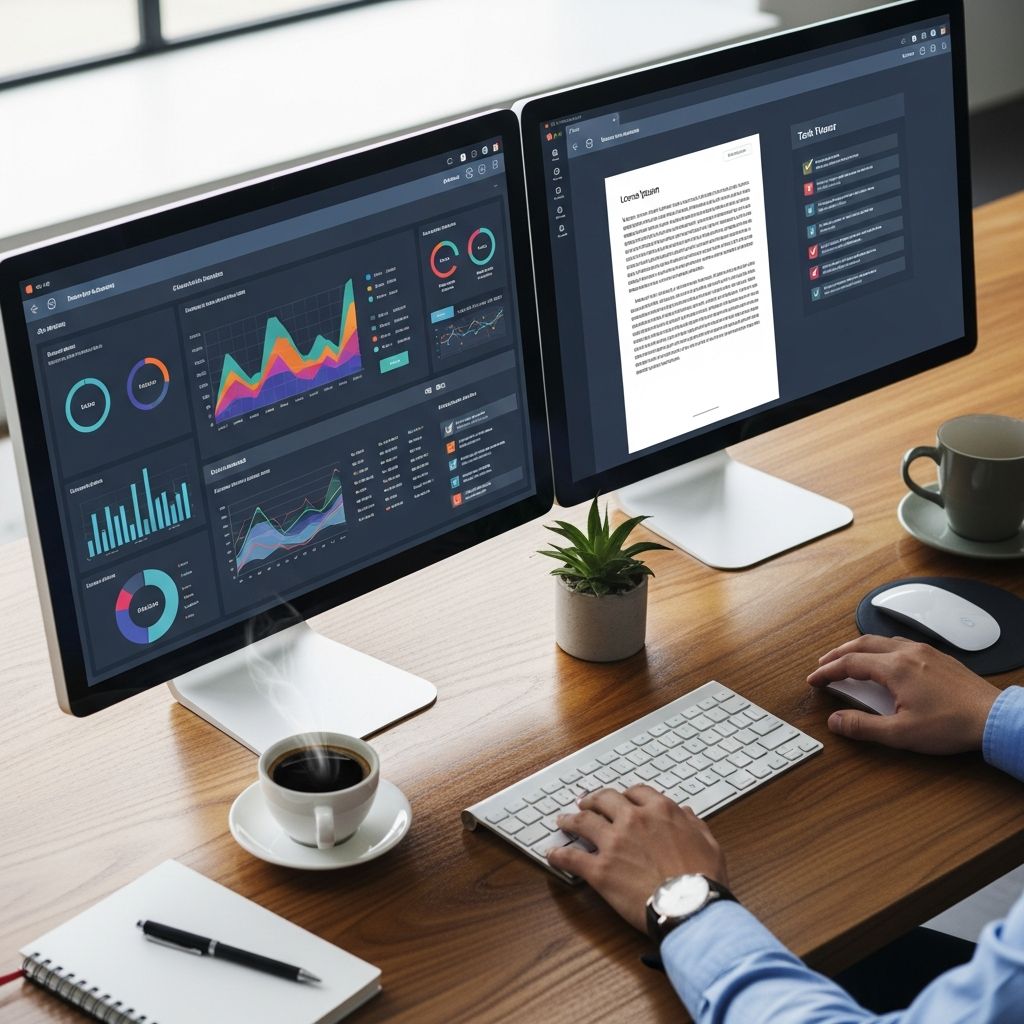
Adopting a dual monitor configuration represents one of the simplest yet most impactful upgrades for modern workstations. Research consistently demonstrates that extending screen real estate across two displays can significantly elevate task performance, minimize disruptions, and foster a more satisfying work experience. Professionals across industries report handling complex workflows with greater ease, thanks to the ability to keep multiple applications visible simultaneously.
Scientific Evidence Supporting Dual Monitor Advantages
Multiple studies underscore the tangible benefits of dual monitors. For instance, researchers at the University of Utah conducted experiments revealing that participants using dual screens committed 33% fewer errors in data-heavy tasks compared to single-screen users. This reduction stems from decreased cognitive load, as workers no longer need to mentally track information hidden behind minimized windows.
Further validation comes from Microsoft researchers, who observed productivity surges ranging from 9% to 50% in activities involving frequent data transfer, such as copying between documents. Jon Peddie Research echoed these findings, with survey respondents estimating an average 42% output increase. A Wichita State University study, commissioned by Dell, quantified dual monitor users as 18% more efficient, with 15% fewer window switches and 91% higher user satisfaction.
These metrics translate to substantial time savings—up to 2.5 hours daily per employee, according to University of Utah analyses. Over a standard workweek, this equates to an additional full day’s worth of productive output without expanding staff.
Streamlining Multitasking and Workflow
Dual monitors excel in environments demanding simultaneous handling of diverse applications. Keep a primary workspace on one screen while referencing supporting materials on the second. This setup eliminates the drag of Alt-Tabbing, which fragments focus and accumulates into hours of lost time weekly.
- Document and Data Handling: Edit spreadsheets on one display while consulting source reports on the other, accelerating analysis and validation.
- Communication Integration: Monitor emails or chat threads alongside core tasks, ensuring prompt responses without workflow interruptions.
- Creative Professions: Designers position reference images or client specs on a secondary screen during active editing sessions.
For developers, one monitor can host code editors while the second displays documentation, debug logs, or testing interfaces. Accountants compare financial statements side-by-side, spotting discrepancies faster. This parallel visibility fosters deeper immersion and higher-quality outputs.
Ergonomic and Health Improvements
Beyond productivity, dual setups promote physical well-being. Properly positioned monitors reduce neck strain by minimizing head turns between screens. Adjustable stands allow alignment at eye level, combating forward head posture common in single-monitor use.
Eye strain diminishes as users avoid constant zooming or scrolling. BlueTower Technical notes that dual configurations enable optimal angle adjustments to cut glare, supporting prolonged sessions without fatigue. Wellbeing studies from IE-UK highlight how customizable monitor placements enhance comfort, indirectly boosting sustained performance throughout the day.
| Aspect | Single Monitor | Dual Monitors |
|---|---|---|
| Window Switches | Frequent (baseline) | 15% fewer |
| Error Rate | Higher | 33% reduction |
| Efficiency | Standard | 18-50% gain |
| User Preference | Low | 98% favor |
| Daily Time Saved | None | Up to 2.5 hours |
This table summarizes key comparative data from leading studies, illustrating the clear edge of dual displays.
Ideal Professions for Dual Monitor Setups
Not every role demands two screens, but many thrive with them. Web developers reference APIs alongside live previews; engineers juxtapose blueprints and simulations; researchers align papers with note-taking apps. Graphic artists benefit from tool palettes on one screen and canvases on another.
Remote workers particularly gain, replicating office-grade capabilities at home. Cloud-based tools like Microsoft 365 amplify this, as dual screens handle multiple browser tabs seamlessly. Sales teams manage CRM dashboards while engaging video calls, enhancing client interactions.
Financial and Organizational Returns
The return on investment for dual monitors is compelling. With monitor prices dropping, outfitting a team costs far less than hiring additional personnel to match the output gains. IDC reports, via Dell, emphasize reduced error correction time and heightened accuracy as direct cost savers.
Organizations report happier employees—98% prefer dual setups per University of Utah findings—leading to lower turnover. GiaSpace highlights up to 50% productivity lifts correlating with improved morale, creating a virtuous cycle of efficiency and retention.
Practical Setup Recommendations
Implementing dual monitors requires minimal hardware checks. Most modern GPUs support multiple outputs via HDMI, DisplayPort, or USB-C. Docking stations simplify connections for laptops.
- Verify graphics capabilities in system settings.
- Select matched monitors for uniform viewing (24-27 inches recommended).
- Position screens side-by-side at arm’s length, tops aligned with eyes.
- Use display management software like Windows Snap or macOS Spaces for optimal window tiling.
- Calibrate colors and brightness for consistency.
Start with bezel-free models to maximize real estate. For vertical workflows, rotate one screen 90 degrees using pivot-capable stands.
Overcoming Common Challenges
Some report initial overwhelm from expanded space. Mitigate by gradually populating the second screen and using virtual desktops. Cable management prevents clutter—monitor arms reclaim desk space.
Power consumption rises marginally but offsets via productivity gains. Ensure proper ventilation to avoid heat buildup in compact setups.
Frequently Asked Questions (FAQs)
Do dual monitors work with laptops?
Yes, most laptops support external displays via HDMI or USB-C. Docking stations enable seamless extension for portable workstations.
What’s the ideal monitor size for dual setups?
24-27 inches strikes a balance between desk space and usability. Larger screens suit immersive tasks but demand wider desks.
Can dual monitors reduce burnout?
Indirectly, yes—by streamlining tasks and ergonomics, they lower frustration and fatigue, per wellbeing research.
Is a ultrawide monitor a viable alternative?
Ultrawides offer similar real estate but lack true parallelism. Dual setups better support independent app scaling.
How much productivity gain can I expect?
Gains vary by task: 20-50% for multitasking-heavy roles, backed by Microsoft and Jon Peddie studies.
Future Trends in Multi-Monitor Workspaces
Advancements like curved displays and higher refresh rates enhance dual setups. Integration with VR/AR promises immersive extensions. As hybrid work persists, portable dual-screen monitors emerge for on-the-go professionals.
AI-driven window management will automate layouts, further amplifying benefits. Enterprises increasingly standardize multi-monitor policies, recognizing data-proven ROI.
In summary, dual monitors transform cluttered single-screen struggles into fluid, expansive workflows. Backed by rigorous research, this upgrade delivers efficiency, comfort, and satisfaction—essential for competitive workplaces.
References
- Dual Monitors – Dell — Dell. 2015. https://i.dell.com/sites/doccontent/shared-content/data-sheets/en/documents/dual_monitors_boost_your_productivity.pdf
- Productivity Impact of Multiple Monitors — Plugable Technologies. N/A. https://plugable.com/blogs/news/productivity-impact-of-multiple-monitors
- How Multiple Monitors Affects Productivity and Wellbeing — IE-UK. N/A. https://www.ie-uk.com/blog/how-multiple-monitors-affects-productivity-and-wellbeing
- Why You Need Dual Computer Monitors for Your Office — GiaSpace. N/A. https://www.giaspace.com/why-you-need-dual-computer-monitors-for-your-office/
- The Benefits of Using a Second Monitor for Work — BlueTower Technical. N/A. https://bluetowertech.com/the-benefits-of-using-a-second-monitor-for-work/
Similar Articles








Read full bio of Sneha Tete