
Can Public Phone Charging Stations Hack Your Data?
Understand the real risks of public USB charging stations, how juice jacking works, and the practical steps you can take to keep your phone and data safe.
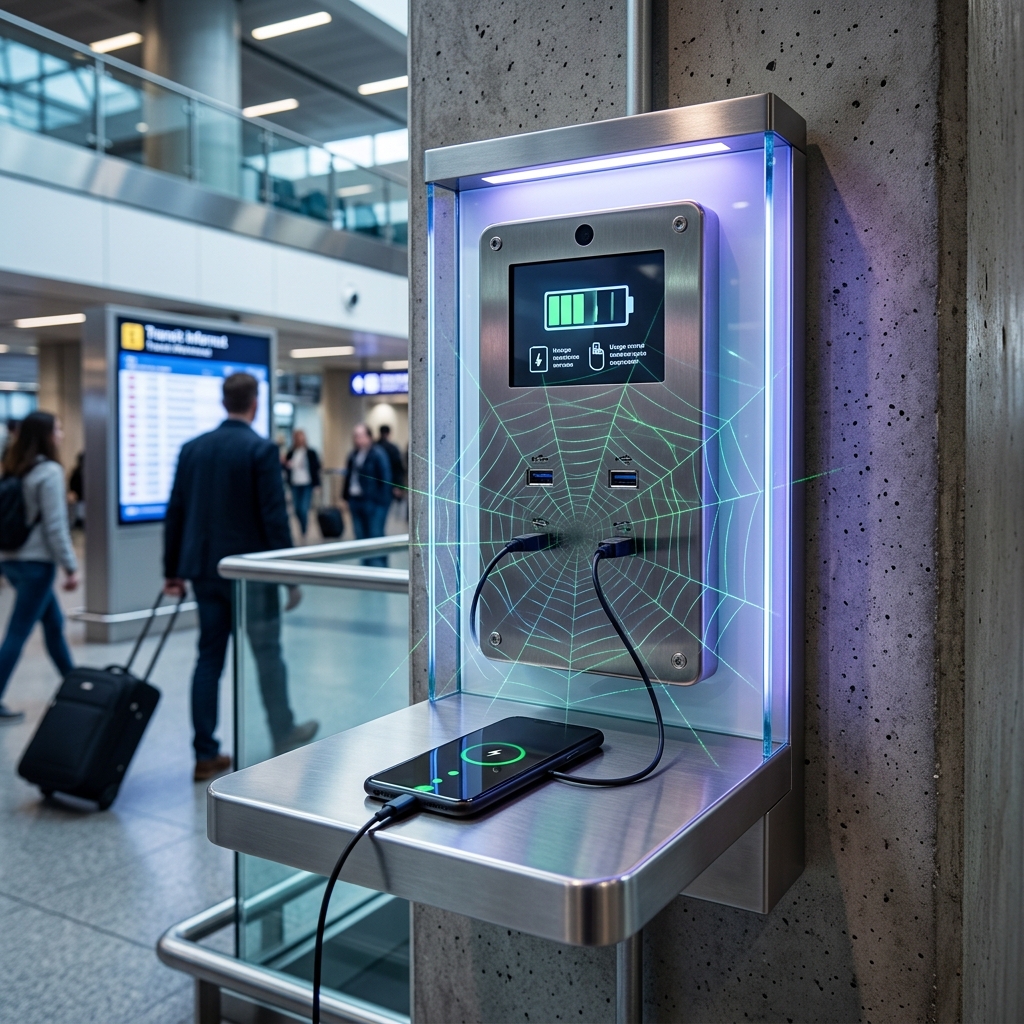
Public phone charging stations in airports, hotels, malls, and cafés can feel like a lifesaver when your battery is in the red. But that convenient USB port may also be an unseen doorway into your device. This article explains how attacks on public charging points work, what the real level of risk is, and how you can protect your privacy and legal rights while staying powered up.
Public Charging Stations: Why Convenience Can Become a Security Risk
Modern smartphones and tablets rely on USB connections that can transmit both electrical power and data. When you plug into an unfamiliar USB port, you are not only accepting power; you may also be exposing your device’s data connection to a system you do not control. This dual nature of USB is what allows certain cyber attacks, commonly called juice jacking, to occur.
Law enforcement and cybersecurity officials have periodically warned about compromised public charging stations that install malware or siphon data from connected devices. Although such attacks are not known to be widespread, the potential harm to individuals—identity theft, financial fraud, loss of confidential communications—can be significant if they do occur.
What Is Juice Jacking?
Juice jacking is a type of cyberattack in which a USB charging port or cable is modified so that, in addition to supplying power, it can secretly transfer data or malicious software between your device and the attacker’s system. Because USB was designed to allow both charging and data exchange, a tampered port can leverage that capability against you.
In a typical juice jacking scenario:
- A USB charging station or cable in a public place is altered with hidden hardware or software.
- When a user plugs in a phone or tablet, the station silently initiates a data connection.
- Malware is pushed onto the device, or existing data (such as files, contact lists, or login information) is pulled out without the user’s knowledge.
Some attacks may require the user to tap an on-screen prompt to “allow data transfer,” while others exploit vulnerabilities to bypass or fake permission requests. The specifics depend on the device, operating system version, and the attacker’s sophistication.
How Juice Jacking Can Affect Your Phone or Tablet
If a device is successfully compromised through a malicious charging port or cable, several types of harm are possible.
Data Theft and Privacy Loss
Attackers may be able to copy sensitive data from your device, including:
- Usernames and passwords stored in apps or browsers
- Contact lists, messages, photos, and documents
- Saved payment card details or banking app data
- Location history and metadata about your communications
Access to this information can enable identity theft, financial fraud, or targeted social engineering scams.
Malware Installation
Another risk is that the charging station installs malicious software onto your phone. Once present, malware can:
- Monitor keystrokes or app usage to capture login credentials
- Intercept text messages or calls that contain two-factor authentication codes
- Exfiltrate files and photos to remote servers
- Grant remote control to attackers, allowing them to change settings or install additional payloads
Account Takeover and Identity Crimes
Information extracted through juice jacking can be combined with data from other breaches to conduct more serious abuses. Identity thieves may open new accounts in your name, reset passwords on your existing accounts, or use your digital identity to commit fraud. In severe cases, victims may spend months or years untangling the consequences.
Ransomware and Device Locking
Some malware is designed to encrypt files or lock devices and then demand payment to restore access. If this type of software is installed during a charging attack, your phone could become unusable until you either wipe it completely or respond to the ransom demand. Paying a ransom is generally discouraged by law enforcement and does not guarantee that access will actually be restored.
Is Juice Jacking Common or Mostly Theoretical?
While the technical possibility of juice jacking is real and has been demonstrated in lab and conference settings, publicly documented incidents affecting everyday consumers appear to be relatively rare. Some security professionals argue that the risk is often overstated, while others believe that low reporting and detection rates may hide actual cases.
Key points about prevalence:
- The underlying vulnerabilities of USB data connections are well understood in the cybersecurity community.
- Official warnings have been issued by law enforcement agencies and security organizations to encourage cautious charging habits.
- Precise statistics on how often consumers are hacked through public charging stations are not currently available in major public datasets, suggesting that the attack is either uncommon, underreported, or both.
- Some industry stakeholders note that no large-scale, widely publicized juice jacking campaigns have been confirmed, and characterize the risk as low compared to more common threats such as phishing or password reuse.
The absence of frequent, documented attacks does not mean the risk is zero. For an individual, even a single successful compromise can have serious consequences. From a consumer protection standpoint, the cost of simple precautions is low relative to the potential impact of a successful attack.
How Public Charging Attacks Work: Technical Overview
To understand why preventive measures are effective, it helps to look briefly at how USB-based attacks can operate.
| Attack Technique | How It Works | Potential Impact |
|---|---|---|
| Data exfiltration via USB | A compromised port initiates a data connection and copies files, contacts, or credentials from the device. | Loss of sensitive information; misuse of accounts; privacy violations. |
| Malware injection | Malicious code is transferred and executed on the device, often exploiting software flaws. | Persistent compromise, spying, or remote control of the device. |
| Exploit of trust settings | The device treats USB as a trusted connection; prompts are ignored or tricked, enabling unauthorized access. | Bypassing user consent; stealthy installation or data access. |
| Hardware-level tampering | Charging kiosks or cables are modified with additional electronics that intercept or inject signals. | Harder to detect visually; may affect multiple users over time. |
Defensive strategies focus on breaking the link between power and data: either by blocking data lines, using alternative power sources, or relying on strong device-level security controls.
Practical Ways to Charge Safely in Public
You do not need to avoid public spaces or travel to stay safe. Instead, you can adopt charging habits that significantly reduce the chance that a compromised port will affect you.
Use Power-Only Solutions Wherever Possible
- Prefer wall outlets over USB ports: Plug your own charger into a standard electrical outlet rather than directly into a public USB socket. Power outlets deliver electricity without offering a direct data channel.
- Carry your own charging cable and adapter: Avoid communal or “free” cables, which could have been tampered with. Using your own hardware lets you retain more control over what touches your device.
- Use a data-blocking USB adapter: These small devices—often called USB condoms or data blockers—physically disconnect the data pins inside the USB connection, allowing only power to flow. When functioning correctly, they prevent data transfer regardless of what the charging station attempts.
- Invest in a reputable power bank: A portable battery pack can keep your phone charged without needing any public ports. Check product reviews and choose power banks from manufacturers with established safety and compliance records.
Configure Your Device for Safer USB Use
Many modern devices offer settings that limit or control USB data access.
- Disable data transfer by default: If your phone offers a “charge only” or similar mode, enable it so that USB connections are limited to power unless you explicitly change the setting.
- Review trust prompts carefully: When a device asks you to “trust” a computer or allow data access over USB, decline if you are connected to a public or unknown charging station.
- Use strong lock screens and encryption: Setting a PIN, password, or biometric lock and enabling device encryption makes it harder for attackers to read data even if some level of access is gained.
- Keep software up to date: Regularly install operating system and app security updates, which often fix vulnerabilities that USB-based malware might exploit.
Behavioral Tips for High-Risk Situations
If your battery is critically low and you have no alternative but an unfamiliar charging port, consider these additional steps:
- Power off the device before plugging in: Turning the phone completely off reduces the ability of a charging station to initiate a data session or run apps, though it does not guarantee complete protection.
- Avoid entering passwords while charging: Do not log in to financial accounts, email, or sensitive apps while connected to an unknown USB port.
- Monitor your device afterward: If you observe new apps, settings changes, unusual battery drain, or unexpected network activity after using a public charger, consider running a security scan and backing up data before a factory reset.
Consumer Protection and Legal Considerations
From a consumer protection viewpoint, juice jacking concerns intersect with privacy law, data security regulations, and potential liability. While this article does not provide legal advice, it highlights general principles that may be relevant.
- Duty of care by service providers: Businesses that operate public charging stations—such as airports or hotels—may have obligations to maintain reasonable security practices. If a station they control is compromised and harms users, questions of negligence or failure to safeguard customers could arise.
- Data breach rules: In some jurisdictions, organizations that knowingly collect or process users’ data must follow data breach notification requirements when unauthorized access occurs. If a charging station actively extracts data, this could trigger regulatory scrutiny.
- Criminal liability for attackers: Tampering with public infrastructure to steal data or install malware is typically a criminal offense under computer misuse or fraud statutes. Law enforcement may investigate incidents and, where possible, prosecute those responsible.
- User responsibility: Consumers are generally expected to take basic precautions with their devices. However, the complexity of modern technology and uneven information about risks can make it challenging for users to fully understand the threats posed by seemingly benign conveniences.
If you believe your device was compromised through a public charging station, you may wish to speak with a qualified attorney in your jurisdiction for advice on your specific situation, especially if significant financial or identity-related harm has occurred.
Checklist: Safer Charging Habits for Everyday Use
The following quick checklist summarizes practical, non-technical steps you can take to reduce risks when charging in public:
- Carry a personal wall charger and USB cable in your bag or luggage.
- Favor AC electrical outlets over shared USB ports wherever possible.
- Use a data-blocking adapter when you must rely on public USB charging.
- Keep a trusted power bank for travel or long days away from home.
- Enable device encryption and secure lock screens.
- Allow data transfer over USB only when necessary and only to systems you trust.
- Install security updates promptly and retire devices that no longer receive patches.
- Be cautious about entering sensitive information while connected to unfamiliar hardware.
Frequently Asked Questions
Do public charging stations always pose a high risk?
No. The majority of public charging stations are not known to be malicious, and many are operated by reputable organizations that take reasonable security measures. However, because tampering is difficult for users to detect and documentation of attacks is limited, it is prudent to treat unknown USB ports with caution and use safer charging methods whenever possible.
Can my phone be hacked just by plugging it into a public USB port?
In some situations, simply connecting a device to a compromised USB port can enable data access or malware installation, especially if the device is configured to allow data connections by default. Newer devices often prompt users before enabling data transfer, and using “charge only” modes or data-blocking adapters can greatly reduce this risk.
Are charging-only cables and USB data blockers completely safe?
When manufactured correctly and used as intended, power-only cables and data-blocking adapters can effectively prevent data from flowing between your device and the charging station. However, as with any security tool, they must be purchased from reliable vendors and inspected for physical damage. No single measure offers absolute protection; they are part of a layered security approach.
Is it safer to charge from my own laptop than from a public USB port?
Charging from a personal laptop that you maintain and secure is generally safer than using an unknown public charging station, because you control the software and trust settings on the computer. However, if the laptop itself is compromised by malware, it could pose similar risks. Good cybersecurity hygiene on all your devices remains important.
What should I do if I suspect my device was compromised during charging?
If you suspect a compromise, you can:
- Disconnect from the charging source immediately.
- Back up important data to a secure location.
- Run a reputable mobile security or antivirus tool.
- Change passwords on critical accounts from a trusted device, especially email and financial services.
- Consider performing a factory reset if suspicious behavior persists.
- Monitor bank statements and credit reports for unusual activity and consult legal or consumer protection resources if significant harm occurs.
Is the main risk my data, or my physical safety if the battery dies?
For many users, a dead battery can create safety issues—for example, inability to call emergency services or access travel documents. Some commentators argue that these practical dangers may be more immediate for most people than the relatively low documented incidence of juice jacking. The best approach is to balance both concerns by planning ahead: keep your phone charged, carry your own equipment, and avoid risky charging methods so you do not need to choose between power and security.
References
- Cyber Risks of Using Public Phone-Charging Stations — MiniCo Insurance. 2023-04-15. https://www.minico.com/cyber-risks-of-using-public-phone-charging-stations/
- Charging Your Phone in Public: The Risks of Jack Juicing — Ambrane India. 2023-08-10. https://ambraneindia.com/blogs/ambraneindia/charging-your-phone-in-public-the-risks-of-jack-juicing-you-need-to-know
- Risks of Public USB Charging Stations and How to Stay Safe — Virtual Sprout. 2023-07-20. https://www.virtualsprout.com/risks-of-public-usb-charging-stations-and-how-to-stay-safe/
- What are the risks of public phone charging? — ChargeBox. 2023-05-05. https://www.chargebox.com/public-phone-charging-risks/
- CCTV Segment on Juice Jacking at Airports — Bridge Michigan (video, expert commentary). 2023-12-01. https://www.facebook.com/BridgeMichigan/videos/cybersecurity-experts-warn-that-public-usb-charging-stations-in-airports-train-s/844179944996852/
Similar Articles








Read full bio of Sneha Tete


