
Undefined: 7 Warning Signs Of Fake PayPal Emails And What To Do
Learn how to recognize, avoid, and report fake PayPal payment and invoice emails before scammers steal your money or data.
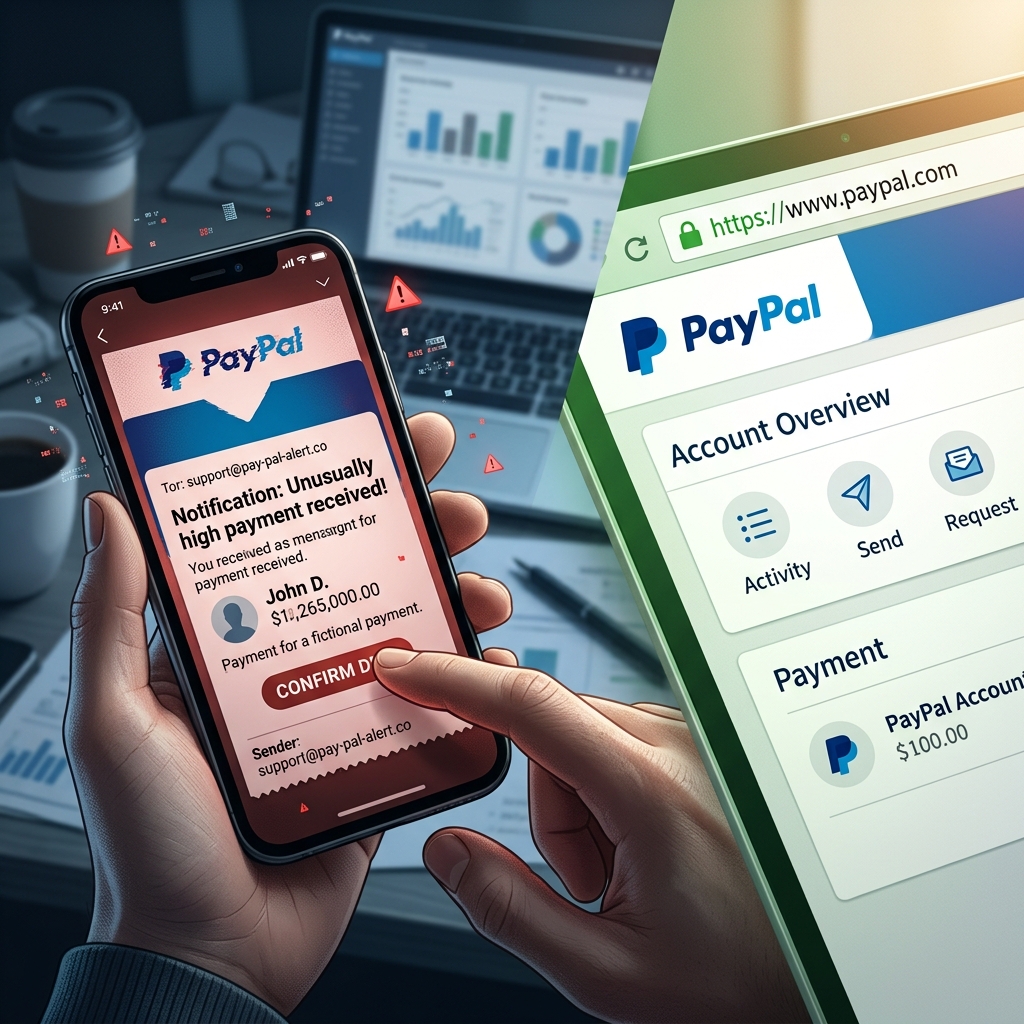
Fake PayPal emails claiming that money has been posted to your account are part of a wider wave of online fraud targeting everyday consumers. These messages often look convincing, use official logos, and warn of urgent account activity, but their real goal is to steal your personal information or trick you into sending money to scammers. Understanding how these scams work and knowing how to respond is critical to protecting your finances and identity.
Why Scammers Target PayPal Users
PayPal is a widely used payment platform, which makes it a prime target for fraudsters. Millions of people recognize PayPal’s name and branding, so a fake email pretending to be from PayPal immediately appears credible to many recipients. In addition, PayPal’s legitimate features—such as invoices, payment requests, and transaction alerts—give scammers useful templates they can imitate.
Common goals of PayPal-related scams include:
- Harvesting login credentials such as email addresses and passwords for PayPal and other accounts.
- Obtaining financial data including card numbers, banking details, or security codes.
- Convincing victims to send money via disguised invoices or refund schemes.
- Installing malware through attachments or malicious links that compromise your device.
How the “Money Posted in Your Account” Scam Typically Works
One common pattern involves an email telling you that funds have been credited to your PayPal account or that you have a new invoice or payment request.
While specific details vary, the scam usually follows a predictable structure:
- The email claims a payment has been received, approved, or is pending and urges you to review or cancel it immediately.
- There may be mention of a high-value transaction, subscription, or digital service you don’t recognize, creating panic.
- The message includes a link to “view transaction” or “dispute charge” or a toll-free number to call.
- If you click the link, you are taken to a fake PayPal login page designed to capture your credentials.
- If you call the number, a fraudster posing as “support” will attempt to obtain sensitive information or guide you into transferring money.
In some cases, scammers take advantage of legitimate PayPal functionality by sending real-looking invoices or money requests through PayPal, then packing the message field with alarming text and a phone number. This blend of authentic and fraudulent elements can make the scam more convincing.
Phishing vs. Fake Invoices: Two Related Threats
Fraud involving PayPal often falls into two overlapping types: classic phishing emails and misuse of legitimate invoice tools.
| Type of scam | How it appears | Main objective | Key red flags |
|---|---|---|---|
| Phishing email | Looks like a standard PayPal notification or alert. | Steal credentials or financial details via fake websites. | Generic greeting, suspicious links, unofficial sender address, urgent wording. |
| Fraudulent invoice or money request | Arrives as an invoice/money request, sometimes via the PayPal system itself. | Trick you into paying a fake bill or calling a scam phone line. | Unknown sender, unfamiliar charge, warning to call a number quickly, request for personal data. |
Warning Signs That a PayPal Email May Be Fake
PayPal itself publishes guidance on how to recognize fraudulent or phishing messages, and these warning signs apply widely. When you receive an email claiming activity on your PayPal account, look for the following:
1. Impersonal Greeting and Unusual Language
Legitimate PayPal emails typically address you by your full name or business name. Fake emails often use generic wording such as:
- “Dear Customer”
- “Dear user”
- Your email address instead of your name
Other clues include poor grammar, unusual capitalization, or phrasing that feels inconsistent with professional communication.
2. Suspicious Sender Address
Always examine the sender’s email address closely. Official PayPal messages come from PayPal domains, not generic providers. If you see addresses that include:
- Free email services (for example, something ending in @gmail.com)
- Misspellings or extra characters in the domain name
- Unusual endings such as .net or odd country codes unrelated to your region
the message may be fraudulent. Some scammers can spoof legitimate-looking addresses, so this should not be your only check, but it is a useful early indicator.
3. Links That Do Not Lead to PayPal
Phishing emails often contain buttons or text links to “verify your account” or “view transaction.” Hover your mouse over these links and look at the destination URL without clicking.
- If the link does not clearly lead to an official PayPal domain, it is unsafe.
- If the URL looks excessively long, includes strange strings, or appears unrelated to PayPal, treat it as suspicious.
PayPal recommends avoiding links in suspicious messages entirely and instead visiting the PayPal site or app directly by typing the address yourself.
4. Attachments You Did Not Expect
Legitimate PayPal emails rarely include unexpected attachments. Fraudulent messages may attach “invoices,” “statements,” or “forms” containing malware. Opening such attachments can infect your device.
Unless you are fully confident the attachment is legitimate and expected, do not open it.
5. False Urgency or Threats
Many scams rely on pressure and fear. Messages may warn that your account will be closed, funds will be deducted, or legal action will occur unless you act at once.
- Words like “immediate,” “final warning,” or “urgent response required” are common signals.
- Scammers hope you click without pausing to verify the message.
PayPal notes that if anything truly requires attention, you will see it after signing in directly to your account rather than only in an email.
6. Unrecognized Transactions or Invoices
Another major warning sign is any reference to transactions, subscriptions, or invoices that you do not recognize.
- If an invoice or payment request appears for services you never ordered, do not pay it.
- Some scams involve repeated requests or large amounts designed to provoke a reaction.
Even if the invoice appears to come through the official system, you should treat unfamiliar requests with caution and verify them by logging in directly.
Safe Steps to Take When You Receive a Suspicious PayPal Email
If you receive an email stating money has been posted, an invoice is due, or your account is at risk, follow this structured approach.
1. Do Not Click Links or Call Listed Numbers
Your first step should be to avoid interacting with anything in the email itself:
- Do not click on buttons or hyperlinks.
- Do not call phone numbers included in the message.
- Do not reply to the email with personal information.
2. Log In Directly to Your PayPal Account
Open a browser or the official PayPal app and sign in by typing the address manually or using a saved bookmark. Once logged in:
- Check your recent activity to confirm whether any payment, refund, or invoice matches the email.
- If no relevant transaction is visible, the email is not a valid payment notification.
Consumer protection advisors similarly recommend verifying online payments directly through the service rather than relying on email messages alone.
3. Report the Suspicious Email to PayPal
PayPal encourages users to forward suspected phishing emails to their dedicated reporting address.
- Forward the email to phishing@paypal.com.
- After forwarding, delete the email from your inbox.
PayPal investigates reported messages and may use the information to help protect other users from similar attacks.
4. If You Do Not Have a PayPal Account
Receiving PayPal-branded emails despite not having an account is another potential red flag. In these cases, PayPal provides a specific channel for assistance.
- You can email UnsolicitedEmail@paypal.com from the affected address to request removal if it has somehow been associated with a PayPal profile without your consent.
- Include a brief statement confirming you do not have a PayPal account and want your email removed from the system.
5. Strengthen Your Account Security
If there is any chance you clicked a suspicious link or entered your credentials on a questionable site, act promptly:
- Change your PayPal password and your email account password.
- Enable two-factor authentication for added protection.
- Review recent activity for unauthorized transactions and report them immediately through PayPal’s Resolution Center or customer support.
What to Do About Fraudulent Invoices and Money Requests
Scammers sometimes exploit PayPal’s legitimate invoice tools by sending invoices that look official and then filling the message area with threatening text, claims of suspicious activity, and a phone number to call.
To handle such invoices safely:
- Do not pay any invoice or money request you do not recognize.
- Do not call phone numbers listed in the invoice notes.
- Log in to PayPal directly and review the request within your account.
- Use the built-in options to decline or report the invoice if it is fraudulent.
Some authorities advise consumers to ignore unknown invoices entirely if they are clearly unsolicited, but also recognize that reporting them can help identify patterns of cyber fraud.
Frequently Asked Questions (FAQs)
1. I received an email saying “PayPal payment received,” but there is nothing in my account. Is it a scam?
If a message claims a payment has been made but you cannot see any corresponding transaction in your PayPal account after logging in directly, it is highly likely to be fraudulent. Trust the information in your account over any email.
2. The email address looks official. Can scammers fake that?
Yes. Scammers can spoof sender addresses to make them appear legitimate. This is why experts recommend verifying activity by checking your account directly rather than relying on the appearance of the email alone.
3. What should I do with suspicious PayPal emails?
Forward them to phishing@paypal.com for review, then delete them. Do not reply, click links, open attachments, or call any numbers in the message.
4. I have no PayPal account but still get PayPal branded messages. How can I stop them?
If you receive PayPal-related emails without having an account, you can contact PayPal at UnsolicitedEmail@paypal.com to request removal of your address from their system. Be sure to send the request from the email receiving the unwanted messages.
5. What if I already clicked a suspicious link or entered my information?
If you may have disclosed credentials on a fake site, change your passwords immediately, enable two-factor authentication, and review your PayPal and email accounts for unusual activity. Consider informing PayPal through their official support channels and monitor your financial accounts closely.
Practical Checklist for Spotting Fake PayPal Payment Emails
Use this quick checklist whenever you receive a message about PayPal activity:
- Is the greeting generic? (For example, “Dear user” instead of your name)
- Does the sender’s email domain look unusual? (Misspellings, free providers, odd endings)
- Are there urgent threats or warnings? (Account closing, legal action, immediate deduction)
- Do links lead to a non-PayPal domain? (Check by hovering over the link)
- Is there an attachment you did not expect? (Invoices, “security forms,” or executables)
- Do you recognize the transaction or invoice? (If not, do not pay)
- Does your PayPal account show matching activity? (If no, treat the email as suspicious)
Key Habits to Protect Yourself Long-Term
Because online scams constantly evolve, building strong digital hygiene is the most effective defense. Helpful habits include:
- Always verify sensitive information through the official PayPal website or app, not through unsolicited emails.
- Regularly update passwords and use a password manager to avoid reusing credentials.
- Enable two-factor authentication on PayPal and email accounts.
- Educate family members—especially those less familiar with online services—about common red flags of phishing and fraud.
- Stay informed by monitoring advisories from consumer protection agencies and official company alerts.
By combining awareness of specific PayPal scams—such as fake payment notifications and fraudulent invoices—with these broader security practices, you significantly reduce the likelihood of becoming a victim.
References
- Attorney General Sunday Warns Consumers to be Aware of Trending PayPal Scam — Office of Attorney General, Pennsylvania. 2024-03-17. https://www.attorneygeneral.gov/taking-action/attorney-general-sunday-warns-consumers-to-be-aware-of-trending-paypal-scam/
- How do I spot a fake, fraudulent, or phishing PayPal email or website? — PayPal Help Center. 2024-06-10. https://www.paypal.com/us/cshelp/article/how-do-i-spot-a-fake-fraudulent-or-phishing-paypal-email-or-website-help164
- What are common scams and how do I spot them? — PayPal Help Center. 2024-04-22. https://www.paypal.com/us/cshelp/article/what-are-common-scams-and-how-do-i-spot-them-help201
- Receiving PayPal emails without an account? — PayPal Help Center. 2023-11-15. https://www.paypal.com/us/cshelp/article/why-am-i-receiving-emails-or-texts-from-paypal-when-i-don%E2%80%99t-have-an-account-help385
- PayPal Alerts Consumers to Phishing Scams and Encourages Safety Tips — PayPal Newsroom. 2025-10-15. https://newsroom.paypal-corp.com/2025-10-15-PayPal-Alerts-Consumers-to-Phishing-Scams-and-Encourages-Safety-Tips,1
Similar Articles








Read full bio of Sneha Tete


