Tech Support Pop-Up Scams: 6 Red Flags And How To Avoid Them
Learn how fake tech support pop-ups and redirects trick users, and the practical steps you can take to stay safe online.
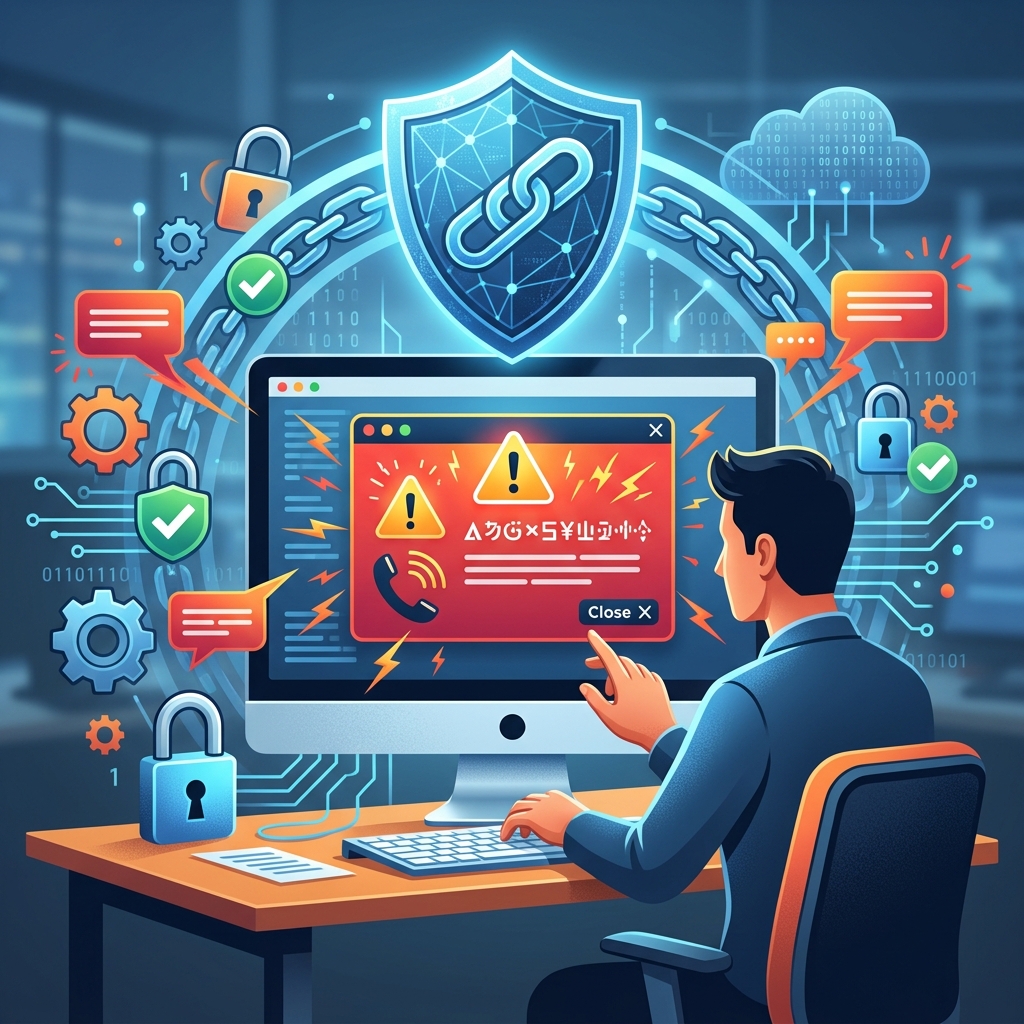
Fake tech support pop-ups and aggressive browser redirects have become a common way for scammers to frighten computer users into paying for worthless services and giving strangers access to their devices. These schemes rely on realistic-looking warnings and high-pressure tactics, but with the right knowledge you can recognize and avoid them.
Understanding Tech Support Pop-Up Scams
Tech support scams usually start with a fabricated alert claiming your computer is infected, hacked, or at risk of imminent failure. The message often imitates familiar brands such as Microsoft, Apple, or major antivirus providers, hoping you will react quickly without questioning its authenticity. The goal is not to fix your device; it is to get you to call a number or click a link that connects you to a scammer.
According to consumer protection guidance from the Federal Trade Commission, these pop-ups and messages are part of wider social engineering campaigns, where criminals manipulate your emotions—especially fear and urgency—to bypass your usual skepticism. Once you engage with them, they may try to convince you to install remote access tools, pay for fake subscriptions, or hand over sensitive personal and financial information.
How Pop-Ups and Redirects Lure Victims
Scam pop-ups and redirects usually appear while browsing the internet, sometimes on suspicious sites but also through compromised advertising networks or mistyped web addresses. They exploit standard browser features to make the warning appear full screen, lock the page, or repeatedly reload so you feel stuck.
Common Techniques Used by Scammers
- Fake security alerts: A window claims to be a system or security warning and says viruses or malware have been detected.
- Brand impersonation: Logos, colors, and language imitate well-known companies, suggesting the alert is official.
- Forced redirects: Your browser suddenly switches from the site you intended to visit to a warning page, often with loud sounds or flashing graphics.
- Persistent tabs: Closing one tab opens another with the same message, giving the impression it cannot be dismissed normally.
- Embedded phone numbers: The alert prominently displays a phone number and instructs you to call immediately for support.
Scammers also rely on technical jargon to sound credible—referencing firewalls, registries, or system files—even though they have no real information about your computer. In many cases, the pop-up is just an ordinary web page styled to resemble a system message and has no ability to scan your device.
Red Flags That Reveal a Scam
Despite their polished appearance, fake tech support alerts share recognizable warning signs. Identifying these red flags helps you react calmly and avoid interacting with the scam.
| Warning Sign | Why It’s Suspicious |
|---|---|
| Pop-up asking you to call a phone number | Legitimate security alerts do not include phone numbers or instruct you to call support directly. |
| Unsolicited message about computer problems | Real tech companies do not contact you out of the blue about issues with your device. |
| Urgent language and countdowns | Scammers create false urgency to force quick decisions without verification. |
| Poor grammar or odd formatting | Misspellings, inconsistent branding, or awkward wording often indicate a fraudulent page. |
| Requests for remote access software | Scammers use remote tools to take over your computer and steal data or install more malware. |
| Pressure to pay via gift cards or wire transfer | Legitimate tech support does not demand payment through non-refundable, difficult-to-trace methods. |
Legitimate Tech Support vs. Scam Operations
One of the most effective defenses against these schemes is knowing how genuine tech support operates. Official guidance from regulators and technology companies consistently emphasizes two principles.
- Real companies do not initiate contact to report a problem with your computer. They do not cold-call, text, or email you saying your device is infected or compromised.
- Authentic security pop-ups do not ask you to call a phone number. System alerts may prompt you to run a scan or update software but will not display a direct support number.
In contrast, scam operations are built around direct contact. They steer you toward a phone call or chat channel they control, then walk you through steps that give them more power over your device, account, or wallet. Recognizing this difference—you contact them via official sites versus they contact you out of nowhere—is crucial.
How to Safely Close a Fake Pop-Up or Redirect
When confronted with a suspicious pop-up, the safest response is to avoid clicking anything inside the window and focus on closing the browser itself. Interacting with buttons labeled “OK,” “Cancel,” or “Close” may trigger additional scripts or downloads.
Basic Steps to Exit the Scam Page
- Try closing the tab or browser normally: Use the tab’s X button or the browser’s close control. If this works, proceed to clean your browsing data.
- Force-close the browser if it won’t respond: On many systems, you can open the task manager or equivalent tool and end the browser process entirely.
- Avoid clicking inside the pop-up: Do not press any buttons, do not call displayed numbers, and do not type commands into boxes the page provides.
Once the browser is closed, clearing cached data and site information can reduce the chance that the same malicious script will appear again when you reopen the browser. Many browser vendors provide step-by-step instructions for clearing history, cookies, and site settings.
Preventive Measures to Reduce Risk
While no measure can guarantee complete protection, a combination of technical settings and cautious habits will significantly lower your exposure to tech support scams.
Strengthen Your Browser Settings
- Block unwanted pop-ups and redirects: Use the built-in controls in your browser to limit pop-up windows and automatic redirects, which are frequently exploited by scammers.
- Review site permissions: Check which sites are allowed to show notifications, pop-ups, or use intrusive scripts, and remove those you do not recognize or trust.
- Keep your browser updated: Updates often include security improvements that help detect and block malicious pages.
Maintain Device and Account Security
- Use up-to-date security software: Install reputable antivirus or endpoint protection and keep it updated. Run regular scans, especially if you suspect a problem.
- Create strong, unique passwords: If you ever shared credentials with a supposed tech support agent, change them immediately and avoid reusing the same password across multiple accounts.
- Be cautious with downloads: Only install software from official stores or vendor websites, not from links sent via unsolicited messages or suspicious pages.
What to Do If You Engaged With a Tech Support Scam
If you called the number from a pop-up, allowed remote access, or paid for supposed repairs, there are steps you can take to limit the damage and possibly recover losses. Official consumer protection agencies recommend treating these incidents as urgent security matters.
Immediate Actions on Your Computer
- Disconnect remote access: Close any remote session and uninstall remote desktop tools that were installed at the scammer’s request.
- Run a full security scan: Use your security software to check for malware or unwanted programs and remove anything flagged as suspicious.
- Change compromised passwords: Update any passwords you shared, starting with email, banking, and primary device accounts. If those passwords were reused elsewhere, change them on those services as well.
Financial and Identity Protection Steps
- Contact your bank or card issuer: If you paid a scammer by credit card or another financial method, notify the issuer quickly, explain the situation, and ask whether the charges can be reversed and the account secured.
- Monitor statements and credit reports: Keep an eye on transactions and consider alerting credit reporting agencies if you shared extensive personal details, so they can flag potential fraud.
- Report the scam to authorities: In the United States, the Federal Trade Commission encourages reporting tech support scams through its dedicated online portal.
Reporting not only helps your own case; it also improves data used by regulators and technology companies to identify and shut down scam operations, protecting other consumers.
Best Practices for Seeking Legitimate Tech Help
At some point most people need assistance with a computer issue, and scammers exploit this need by posing as helpful technicians. To avoid them, focus on how you initiate contact and verify legitimacy.
- Start from official websites: Type the known address of the company directly into your browser or use established app stores and support portals, rather than links in unsolicited emails or pop-ups.
- Use verified phone numbers: If you prefer calling, look up the number independently on the official site or documentation instead of trusting the one in a warning message.
- Consider in-person support: Stores that sell computers often provide technical help at service counters, which can be safer than interacting with unknown online technicians.
- Ask someone you trust: When unsure whether a message is genuine, talk to a friend, relative, or colleague. Discussing the situation can quickly reveal obvious scam features you might have missed.
FAQs About Tech Support Pop-Up Scams
Are all pop-up security warnings scams?
Not all pop-up messages are fraudulent; some are legitimate notifications from your browser or security software. However, authentic alerts do not include phone numbers or demand that you call for help. If a window insists that you must call a specific number, treat it as a likely scam and close the browser.
What should I do if my browser seems locked by a warning page?
If a page prevents you from navigating away, do not click buttons inside the warning. Instead, force-close the browser using system controls. Afterward, restart the browser, clear cache and site data, and consider running a malware scan if the issue recurs.
Can scammers really see my files through a pop-up?
The pop-up itself cannot access your files; it is just a web page styled to look like a system alert. The danger arises if you install remote access tools or other software at the scammer’s direction, which can allow them to view or copy your data.
How do I know if a tech support phone call is legitimate?
Unexpected calls claiming to be from major technology companies about problems with your computer are almost always fraudulent. If you did not request support, hang up. If you think there might be a real issue, contact the company through numbers listed on its official site rather than ones given by the caller.
Is paying with gift cards a sign of a scam?
Yes. Consumer protection agencies warn that requests for payment via gift cards, wire transfers, or cryptocurrency are strong indicators of scams, because these methods are difficult to reverse and easy for criminals to exploit. Legitimate tech support normally accepts standard payment options and provides invoices or receipts.
Building Long-Term Digital Awareness
Tech support pop-up scams continue to evolve, adopting new designs and adapting to emerging technologies. However, their core strategy remains consistent: unexpected warnings, emotional manipulation, and pressure to act immediately. By remembering that genuine companies do not contact you about computer problems out of the blue and that real security alerts do not contain phone numbers, you can stay calm when confronted with suspicious pages.
Regularly discussing online safety with family members, especially those who are newer to using computers, helps extend protection beyond your own devices. Sharing the signs of fraudulent pop-ups and explaining how to seek help through trusted channels can prevent future losses and frustration. In combination with up-to-date software, cautious browsing habits, and prompt reporting of incidents, this awareness forms a strong defense against tech support pop-up scams.
References
- Tech Support Scams: Beware Pop-Up Windows and Redirects — FindLaw. 2019-07-31. https://www.findlaw.com/legalblogs/consumer-protection/tech-support-scams-beware-pop-up-windows-and-redirects/
- Tech Support Pop-Up Scam: “Call Microsoft or Apple” Warning Signs — Guardio. 2024-02-05. https://guard.io/blog/tech-support-pop-up-scam-2026
- Don’t Trust that Pop-Up! How to Avoid Tech Support Scams — Bank of Hawaii. 2023-08-10. https://www.boh.com/blog/dont-trust-that-pop-up-how-to-avoid-tech-support-scams
- How To Spot, Avoid, and Report Tech Support Scams — Federal Trade Commission. 2023-02-09. https://consumer.ftc.gov/articles/how-spot-avoid-and-report-tech-support-scams
- Keep Getting Popup Phishing Site When Visiting StockTwits.com — Microsoft Learn Q&A. 2022-11-15. https://learn.microsoft.com/en-us/answers/questions/5848508/keep-getting-popup-phishing-site-when-visiting-sto
Similar Articles








Read full bio of Sneha Tete