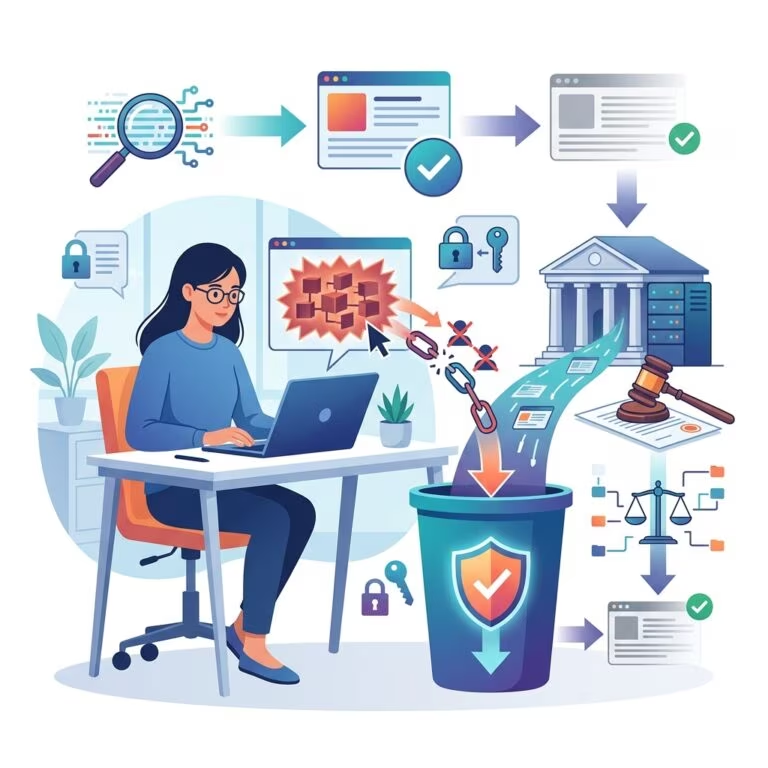
Many serious security incidents do not begin with a sophisticated attack. They start with everyday operational mistakes, weak habits, or preventable gaps inside an organization. The good news is that these problems are often manageable when leaders treat cybersecurity as a shared business responsibility rather than a narrow IT concern.
This article explains how organizations can reduce avoidable cyber risk by improving people, processes, and technology together. The focus is not on rare technical exploits, but on the practical steps that make it harder for simple errors to become expensive breaches.
Why internal mistakes matter so much
Security systems are only as strong as the way people use them. A company may invest in strong tools, but a careless password habit, an unreviewed software update, or a rushed response to a suspicious email can still open the door to attackers. Many incidents exploit routine behavior because routine behavior is repeated every day.
Internal mistakes are especially dangerous because they often look harmless at first. A staff member may reuse a password because it is convenient, share a file through the wrong channel because it is faster, or postpone an update because it interrupts work. Each choice can seem small, but together they create a pattern of exposure.
Organizations that reduce these risks usually do two things well: they make secure behavior easier, and they create enough accountability to catch mistakes early.
Build security into daily workflow
Cybersecurity works best when it is embedded into ordinary tasks rather than treated as an occasional special project. Employees should not need to improvise every time they send a file, approve a login, or install software. Clear workflows reduce guesswork and lower the odds of accidental exposure.
- Define approved channels for sharing confidential files.
- Require strong authentication for access to sensitive systems.
- Standardize software approval and patching procedures.
- Document who can approve exceptions and under what conditions.
When the right process is the easiest process, compliance becomes more natural. That matters because people tend to follow the path of least resistance, especially during busy periods.
Train people to recognize risky behavior
Training should not be a once-a-year presentation that people forget within days. Effective programs teach staff what suspicious activity looks like, how to verify requests, and what to do when something feels wrong. The goal is not to turn everyone into a security expert, but to help them pause before making a costly mistake.
Useful training topics include phishing, password hygiene, safe remote work, secure file handling, and reporting procedures. Training is stronger when it uses realistic examples from the organization’s own environment, because employees can then connect the lesson to something they actually do.
Good training also avoids blame. If workers fear embarrassment, they are less likely to report a mistake early. A culture that encourages fast reporting can limit damage and improve learning after an incident.
Limit access to what people truly need
One of the simplest ways to reduce harm is to give employees only the access required for their role. If too many people can view, edit, or export sensitive data, then a single mistake can have broader consequences. Access control reduces the size of the blast radius.
Organizations should review permissions regularly and remove unused accounts promptly when roles change or employment ends. Temporary project access should also expire automatically when the project ends.
| Common access issue | Why it creates risk | Better practice |
|---|---|---|
| Shared login credentials | Makes accountability difficult and increases misuse risk | Use individual accounts with strong authentication |
| Old user accounts left active | Former staff or unused accounts can be abused | Disable access promptly after role changes |
| Overly broad permissions | More data is exposed if an account is compromised | Apply least-privilege access based on job function |
Keep systems updated and supported
Unpatched software remains one of the most common reasons organizations are exposed to avoidable attacks. Updates often fix known flaws that attackers already understand how to exploit. Delaying them gives those flaws more time to be used against you.
Patch management should cover operating systems, applications, browser extensions, mobile devices, routers, and any cloud-connected tools in use. It should also include a clear inventory of what is actually deployed, because you cannot protect assets you have not identified.
Unsupported software deserves special attention. If a product is no longer maintained, the organization should plan to replace it rather than hope it remains safe indefinitely. Legacy systems may still function, but they often create hidden risk.
Make phishing harder to succeed
Email remains one of the most common entry points for cyber incidents because it combines urgency, trust, and routine. Attackers often rely on people being distracted, rushed, or overly helpful. Reducing that risk requires both technical filtering and human caution.
Organizations should use email protection tools, but they should also teach staff to slow down before clicking links, opening attachments, or approving unexpected requests. Any message that asks for money, credentials, gift cards, payroll changes, or urgent file access should be verified through a separate trusted channel.
- Check sender addresses carefully, especially when a message looks urgent.
- Hover over links or inspect destinations before clicking.
- Verify unusual payment or account-change requests by phone or internal chat.
- Report suspicious messages quickly rather than deleting them silently.
Use strong authentication everywhere possible
Passwords alone are not enough for most business environments. Strong authentication adds another barrier even if a password is stolen or guessed. Multi-factor authentication should be standard for email, remote access, cloud dashboards, administrative tools, and any system that stores sensitive data.
Authentication should be implemented with usability in mind. If the process is too cumbersome, employees may look for shortcuts. Security teams should choose methods that are both resistant to fraud and practical for everyday use.
Organizations should also discourage password reuse and encourage password managers. A password manager reduces the temptation to use weak or repeated credentials across systems.
Prepare for mistakes before they happen
No matter how careful an organization is, some mistakes will still occur. The difference between a manageable event and a major incident is often preparation. Incident response planning helps teams move quickly instead of improvising under pressure.
A practical response plan should identify who to call, who can isolate affected systems, how to preserve evidence, how to notify leaders, and when to involve legal, insurance, and external forensic support. It should also include playbooks for common scenarios such as phishing, ransomware, data leakage, and lost devices.
Testing matters as much as writing the plan. Tabletop exercises reveal gaps in communication, authority, and recovery steps before an actual crisis exposes them.
Monitor for warning signs without creating fear
Monitoring helps organizations discover suspicious activity early, but it should not become a culture of surveillance for its own sake. The purpose is to detect anomalies, not to intimidate staff. Clear boundaries build trust and make security monitoring more effective.
Useful monitoring can include alerts for unusual logins, large file transfers, new device registrations, repeated failed access attempts, and unexpected privilege changes. These indicators are not proof of wrongdoing, but they can show where to investigate.
Security teams should tune alerts to reduce noise. If staff are overwhelmed by false alarms, they may stop paying attention. A smaller number of meaningful alerts is often better than a flood of useless ones.
Reduce the business pressures that create careless behavior
People often make security mistakes when they are overloaded, unclear about priorities, or pushed to move faster than the process allows. That means cybersecurity is partly an operations issue. If deadlines are unrealistic or procedures are confusing, employees will look for shortcuts.
Leaders can lower risk by simplifying approval chains, clarifying ownership, and making secure methods available at the moment they are needed. When a team is expected to work quickly, security has to be designed into the workflow rather than added afterward.
It also helps to review recurring frustrations. If one process keeps causing workarounds, the process may be the real vulnerability.
Use a practical control checklist
The following checklist can help organizations focus on the most useful internal protections:
- Confirm that multi-factor authentication is enabled on critical systems.
- Review user permissions on a scheduled basis.
- Track patching deadlines and software inventory.
- Train staff on phishing and data-handling rules.
- Maintain an incident response plan with named responsibilities.
- Test backups and restoration procedures.
- Encourage prompt reporting of suspicious activity and mistakes.
Frequently asked questions
What is the most common reason internal cybersecurity mistakes happen?
Most internal mistakes come from a combination of human habits, unclear procedures, and pressure to work quickly. When secure behavior is inconvenient, people often choose the fastest option.
Is employee training enough to prevent cyber incidents?
No. Training helps, but it must be paired with access control, technical safeguards, monitoring, and response planning. Security improves most when people, process, and technology work together.
How often should access permissions be reviewed?
Permissions should be reviewed regularly, especially after role changes, promotions, departures, and major project transitions. High-risk systems deserve more frequent review.
Why is phishing still such a big problem?
Phishing works because it uses trust and urgency to prompt fast decisions. Even cautious employees can be fooled when a message appears familiar or time-sensitive.
What should an organization do first if it detects a mistake?
It should contain the issue, preserve evidence, and follow the incident response plan. Fast reporting is usually more valuable than trying to hide or quietly fix the problem.
Final thoughts for stronger day-to-day security
Organizations do not eliminate cyber risk by hoping people never make mistakes. They reduce risk by designing systems that anticipate error, limit damage, and make the secure choice the easy choice. That approach turns cybersecurity from a one-time project into an ongoing business discipline.
When leaders invest in clear rules, practical training, limited access, timely updates, and a calm response process, they reduce the number of mistakes that become incidents. Over time, that is often the difference between occasional friction and a serious breach.
References
- How to Respond to a Data Breach — Federal Trade Commission. 2024-11-18. https://consumer.ftc.gov/articles/how-response-data-breach
- Stop. Think. Connect. — Cybersecurity and Infrastructure Security Agency. 2025-01-15. https://www.cisa.gov/stopthinkconnect
- Phishing Guidance — Cybersecurity and Infrastructure Security Agency. 2025-03-04. https://www.cisa.gov/topics/cyber-threats-and-advisories/phishing
- Cybersecurity Awareness Training — National Institute of Standards and Technology. 2024-08-02. https://www.nist.gov/cyberframework
- Implementing the NIST Cybersecurity Framework — National Institute of Standards and Technology. 2024-08-02. https://www.nist.gov/cyberframework