
ACLU Police Recording Apps: Rights, Risks, and Practical Use
How ACLU smartphone apps help you discreetly record police encounters, protect evidence, and understand your legal rights during stops and arrests.
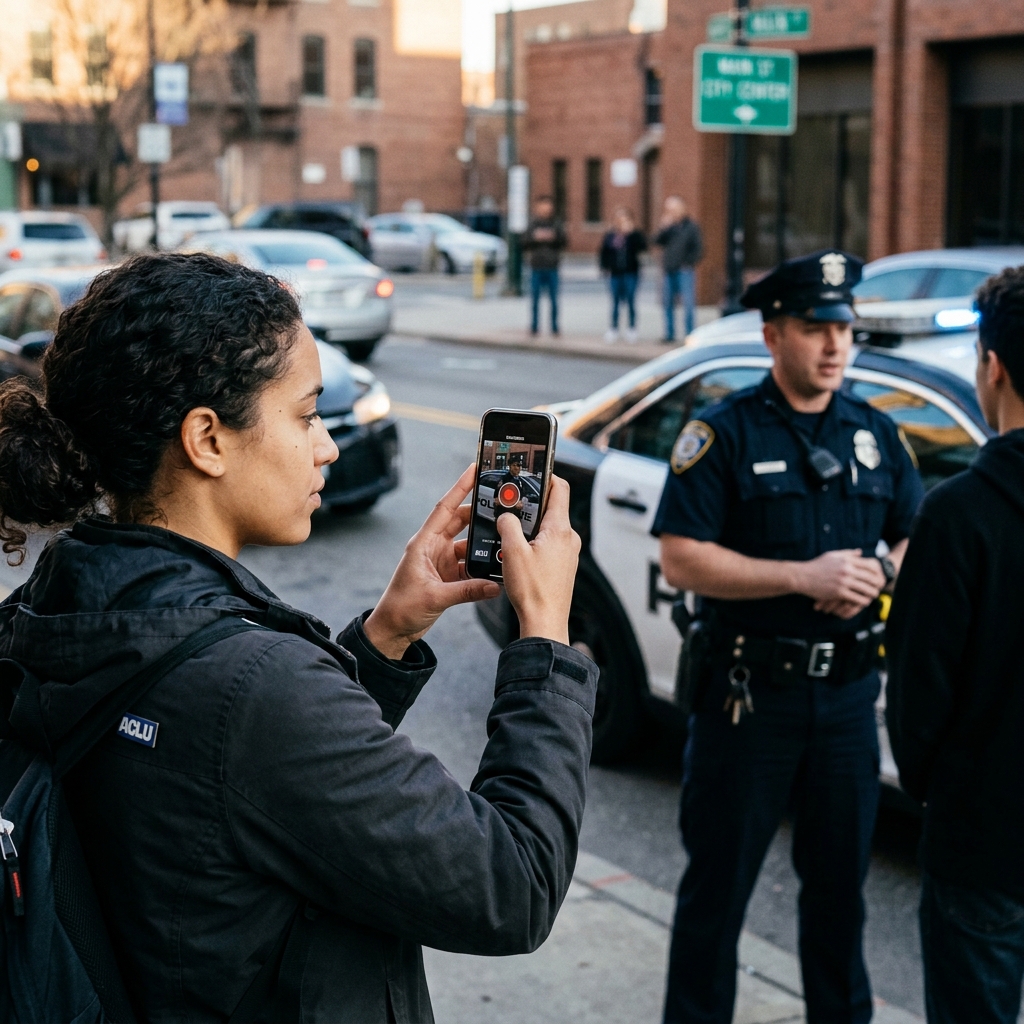
Smartphones have transformed how the public documents police activity, and the American Civil Liberties Union (ACLU) has built dedicated apps to make those recordings more secure, more useful, and better connected to legal support. These apps allow you to discreetly capture audio or video of an encounter, upload it to ACLU servers, and access clear information about your rights in real time.
Why Police Recording Apps Exist
The primary purpose of ACLU police accountability apps is to strengthen public oversight of law enforcement and protect evidence of potential misconduct.[10] By making it easier to record and preserve encounters, these tools serve as a modern check on state power and support civil liberties advocacy.
ACLU-developed apps emerged in response to several practical problems:
- Evidence loss: Police sometimes seize phones, delete footage, or disrupt recording during contentious encounters.
- Legal uncertainty: Many people do not know when, where, or how they can legally record officers.
- Access to expertise: Individuals often lack direct access to lawyers or civil rights organizations who can quickly review what happened.[10]
Dedicated apps attempt to solve these problems by combining recording tools, automatic upload, and legal guidance in a single interface.
Overview of ACLU Police Accountability Apps
The ACLU has released several smartphone apps focused on recording law enforcement and sharing those recordings with ACLU offices.[10] While details vary by state, many share common design goals:
- Encourage lawful recording of police encounters in public spaces.
- Securely store and transmit audio or video so it cannot easily be destroyed.
- Offer clear, localized “Know Your Rights” information for different interaction scenarios.[10]
- Create a channel for civil rights organizations to review incidents and potentially pursue legal action.[10]
Two notable products include:
- Police Tape (ACLU of New Jersey): An accountability app that discreetly records audio or video during police encounters and can upload copies to secure ACLU servers.
- Mobile Justice and ACLU Blue: Multi-state apps that connect users to local ACLU affiliates, record incidents, upload footage, and sometimes share recordings in public forums to highlight both misconduct and model policing.[10]
Key Features of ACLU Police Recording Apps
While each ACLU affiliate may tailor its app differently, several core features recur across these tools.[10]
Discreet Recording
One critical feature is the ability to record without drawing attention to the phone.
- Apps such as Police Tape can make the recording interface disappear from the screen once audio or video capture begins, reducing the chance officers will notice and try to interfere.
- Some apps focus on audio-only recording on certain platforms, again with minimal on-screen indicators.
This discrete design reflects both practical safety concerns and the legal recognition that individuals may have a constitutional right to record police even when the recording is not obvious.
Secure Upload and Storage
A second critical feature is automatic or quick upload to remote servers.
- Recordings can be transmitted to ACLU-controlled servers, protecting them from local deletion if a phone is confiscated or damaged.
- In some apps, upload occurs immediately after the recording stops, while others allow users to initiate transmission manually.[10]
- Copies typically remain on the device as well, so the user retains access to their own evidence.
By maintaining secure backups, these apps ensure that potentially critical proof of civil rights violations is not lost in the chaos of an encounter.
Incident Reporting and Context
Video and audio alone can be powerful, but legal evaluation often requires contextual information. Some ACLU apps integrate incident report forms that ask users to describe what happened in their own words.
- Users may be prompted to enter details such as location, time, the nature of the police interaction, and any visible injuries or property damage.
- These reports help attorneys understand the broader narrative surrounding the recording.
By combining footage with written accounts, ACLU staff can more effectively assess whether a civil rights violation occurred and what legal strategies might be appropriate.
Know Your Rights Guidance
Many ACLU apps build in quick-reference rights information, allowing users to read relevant legal principles during or immediately after an encounter.[10]
- Guides typically cover scenarios such as being stopped in a car, questioned on foot, visited at home, or participating in protests.[10]
- The information reflects state-specific law where possible, because rules on searches, identification, and recording can vary by jurisdiction.[10]
These materials are an extension of longstanding ACLU “Know Your Rights” campaigns, adapted for mobile devices so they are available at the moment they are most needed.[10]
Legal Foundations: The Right to Record Police
ACLU apps rest on a broader legal principle: people generally have a First Amendment right to record police officers performing their duties in public, subject to reasonable limitations.
First Amendment Protection
In recent years, federal courts have confirmed that taking photos, video, or audio of law enforcement in public spaces is a protected form of newsgathering and speech.
- Recording police contributes to public discussion about government conduct, an activity at the core of the First Amendment.
- Officers have “diminished privacy interests” when performing official duties in public, which strengthens the case for allowing observation and recording.
These rulings help protect individuals from arrest or retaliation simply for documenting what officers do in public settings.
Secret vs. Open Recording
One contested issue has been whether state wiretap laws apply to recording police without their knowledge. In at least one federal case, a court has held that secret recording of law enforcement officials in public is protected by the First Amendment and cannot be criminalized under broad wiretap statutes when it concerns public duties.
However, the legal landscape can vary by state, and some wiretap laws still restrict surreptitious recording of private individuals or conversations with a reasonable expectation of privacy. ACLU apps are designed primarily for public encounters with law enforcement, not for indiscriminate surveillance of private conversations.
Reasonable Time, Place, and Manner Limits
Even where recording is protected, reasonable restrictions may apply. For example:
- Authorities can enforce laws that prevent physical interference with police activity, such as obstruction or failure to comply with lawful orders.
- Recording may be limited in secure facilities or certain sensitive locations.
Know-your-rights materials in ACLU apps emphasize observing from a safe distance and complying with lawful commands while continuing to document what occurs.[10]
Benefits of Using ACLU Recording Apps
Compared with standard camera or voice recorder apps, ACLU tools offer several distinct advantages in police encounters.[10]
| Benefit | How ACLU Apps Help |
|---|---|
| Evidence preservation | Automatic upload to secure servers reduces the risk that footage will be deleted if a phone is seized or damaged. |
| Discreet operation | Screen elements can disappear while recording, making interference less likely and lowering tension. |
| Legal guidance | Integrated rights information helps users make more informed decisions during an encounter. |
| Connection to advocates | Footage sent to ACLU offices can be reviewed for potential civil liberties violations and possible legal action. |
| Community accountability | Some apps create public forums showcasing both problematic and exemplary police conduct. |
Risks, Limits, and Privacy Considerations
While ACLU apps offer strong protections, they are not risk-free or universally applicable. Users should consider several key issues.
Legal Variation by State
Not all jurisdictions treat recording in the same way. Wiretap laws, consent requirements, and local practices can complicate matters, especially when recording secretly.
- Some apps are tailored for particular states and connect directly to local ACLU affiliates.[10]
- Know-your-rights material is typically state-specific, but users remain responsible for understanding local law as it evolves.
Personal Security During Encounters
Recording police can sometimes escalate tension, particularly if officers perceive it as a challenge to their authority. Discreet recording reduces visibility but does not remove all risk.
- Users should prioritize physical safety and avoid actions that might reasonably be interpreted as interference.
- In highly volatile situations, simply aiming a phone camera may draw attention; audio-only or more subtle recording may be safer.
Data Privacy and Sharing
Uploading footage to ACLU servers involves sharing sensitive information with an organization. ACLU affiliates typically emphasize that they treat incoming material confidentially, releasing it only under legal obligations or with user permission.[10]
- Some apps, such as ACLU Blue, explicitly frame uploaded content as material intended for a public forum, which means recordings may be visible to other users.[10]
- Users should review each app’s policies to understand whether recordings will be used primarily for legal review, public advocacy, or both.[10]
Technical Reliability
As with any technology, apps can fail: uploads may stall, connections may drop, or storage may be limited. Users should not depend on a single tool as their only safeguard.
- Whenever possible, maintain copies locally and consider backing up recordings to secure personal storage as well.
- Testing app functions in advance can reduce surprises during actual encounters.
Practical Tips for Using ACLU Recording Apps
To get the most out of police accountability apps, it helps to prepare before any encounter occurs.
Before You Need the App
- Install and configure: Download the appropriate ACLU app for your state or region and enable necessary permissions for camera, microphone, and storage.[10]
- Review rights information: Read the built-in guides on traffic stops, street encounters, and arrests so you know what the app will tell you in the moment.[10]
- Enable security features: If the app offers automatic screen lock or other security tools after recording, decide whether to enable them based on your comfort and needs.
- Understand upload behavior: Learn whether the app uploads automatically or requires user confirmation, and confirm you have reliable connectivity where you live.
During an Encounter
- Stay as calm as possible and focus on safety.
- Start recording as soon as the encounter appears noteworthy or potentially problematic.
- Position yourself at a reasonable distance where you can observe without obstructing police activity.
- If officers question your recording, you may calmly assert your right to document public police activity, consistent with local law.
After Recording
- Allow the app to complete upload, if that is its default behavior.
- Fill out any incident report forms with accurate, detailed information while the memory is fresh.
- Consider documenting any additional evidence, such as injuries or damage, through photos or written notes.
- If you believe rights were violated, follow instructions within the app or contact the relevant ACLU office for guidance.[10]
Usage Scenarios Where These Apps Can Help
ACLU recording tools can be valuable in a variety of situations:
- Traffic stops: Documenting how officers conduct searches, issue citations, or respond to questions during a stop.
- Street encounters: Recording pedestrian stops, frisks, or questioning in public spaces.
- Protests and demonstrations: Capturing crowd control tactics, dispersal orders, and responses to nonviolent protest.[10]
- Witnessing incidents involving others: Recording interactions where you are not the primary subject but believe police behavior should be documented.[10]
In each case, the ability to quickly upload recordings and connect them to rights information can make a significant difference in whether an incident is accurately understood later.
Frequently Asked Questions (FAQs)
Is it always legal to record police with an ACLU app?
It is generally lawful to record police officers performing their duties in public, as courts have recognized a First Amendment right to do so. However, specific restrictions may exist under state law, especially for secret recording or in non-public contexts, so users should review local guidance in the app and on official civil liberties resources.
Can police force me to delete recordings from an ACLU app?
ACLU apps are designed to upload footage to remote servers, which officers cannot directly access to delete. While police may attempt to seize a phone, the secure backup should remain intact. The legality of forced deletion varies by jurisdiction, but courts have generally disfavored government actions that destroy evidence of public police conduct.
Will the ACLU automatically represent me if I send a recording?
Uploading a recording does not guarantee legal representation. ACLU staff review incoming footage and incident reports to determine whether they fit organizational priorities and resources.[10] Some apps, like ACLU Blue, are primarily geared toward public sharing and discussion rather than individualized legal review.[10]
Is my personal information shared publicly?
Policies differ by app. Where footage is intended for public forums, such as ACLU Blue, recordings may be visible to other users.[10] However, ACLU affiliates emphasize confidentiality for materials submitted for legal analysis and typically release them only under legal authority or with explicit permission.[10] Users should read the specific terms within each app to understand how their data is handled.
Do these apps replace standard camera apps?
ACLU apps are specialized tools, not complete replacements for built-in camera apps. They are most useful in encounters where secure upload and rights information are important, while everyday photography or casual video may be better served by standard tools.
References
- ACLU-NJ Releases Police Accountability Smartphone App for Summer Beach Season — ACLU of New Jersey. 2012-07-03. https://www.aclu-nj.org/press-releases/aclu-nj-releases-police-accountability-smartphone-app-summer-beach-season/
- ACLU-NJ Releases Apple Version of Police Accountability App — ACLU. 2012-10-03. https://www.aclu.org/press-releases/aclu-nj-releases-apple-version-police-accountability-app
- New Jersey ACLU Releases App for Recording Police — Government Technology. 2012-07-05. https://www.govtech.com/public-safety/New-Jersey-ACLU-App-Recording-Police.html
- ACLU App Lets Android Users Secretly Tape the Police — CBS News / CNET. 2012-07-05. https://www.cbsnews.com/news/aclu-app-lets-android-users-secretly-tape-the-police/
- Don’t Record Police with Your Regular Camera App — Gadget Hacks. 2017-09-06. https://smartphones.gadgethacks.com/how-to/dont-record-police-with-your-regular-camera-app-use-aclus-make-sure-gets-uploaded-right-away-0161782/
- The Right to Record Police Doesn’t Disappear When You Put Your Phone in Your Pocket — ACLU. 2018-01-10. https://www.aclu.org/news/free-speech/right-record-police-doesnt-disappear-when-you-put-your-phone-your-pocket
- Victory! Federal Judge Affirms Right to Secretly Record Police — ACLU of Massachusetts. 2018-01-10. https://www.aclum.org/press-releases/victory-federal-judge-affirms-right-secretly-record-police/
- ACLU Blue Smartphone App FAQ — ACLU of Texas. 2017-03-01. https://www.aclutx.org/app/uploads/2017/03/aclu_blue_faq.pdf
Similar Articles








Read full bio of medha deb




